

Choose a platform
-
 Windows Version 7.3
2 MB
DownloadRecommended for your device
Overview
Introduction
In the world of video editing, having an affordable, feature-rich and user-friendly software is crucial. MiniTool MovieMaker, developed by MiniTool Software Limited, is one such tool that provides a complete set of video editing features for both beginners and professionals.
MiniTool MovieMaker is a free video editing program designed to help users create stunning videos effortlessly. It offers a wide range of tools and features that cater to various video editing needs, from basic trimming and cutting to advanced effects and transitions.
Key features of MiniTool MovieMaker
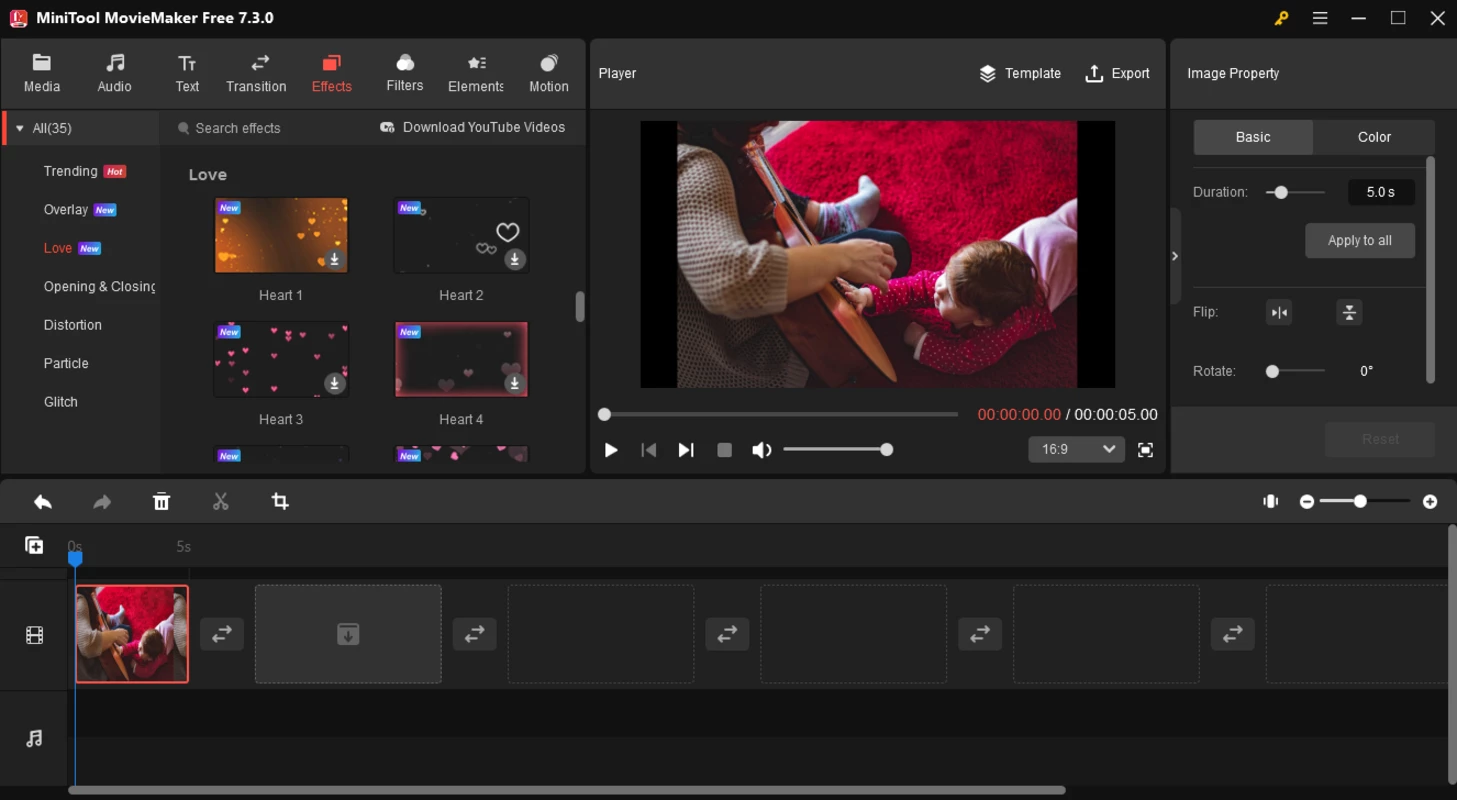
- Usable Interface: The intuitive and clean interface makes the program easy to navigate and use for users of all levels.
- Video Templates: Lots of ready-made templates to get your video projects up and running quickly.
- Cut and split videos: Easily trim, split and merge video clips to create a perfect sequence.
- Transitions and Effects: Add dynamic transitions and visual effects to enhance your video.
- Text and captions: Decorate your video with titles, subtitles and text overlays.
- Audio Editing: Add, customize and edit audio tracks to match the tone and style of your video.
- Export Options: Export videos to various formats including MP4, AVI and MOV with high quality.
- Create Slideshows: Create engaging slideshows of your photos with music and transitions.
Benefits of using MiniTool MovieMaker
- Economic: The program is free, with no hidden costs or subscription fees, making it a great choice for frugal users.
- Easy to learn: The program's simple design makes it accessible to beginners while offering powerful tools for more advanced users.
- Universal: suitable for a wide range of video editing tasks, from creating personal videos to professional content.
- High-quality output: Create professional-quality video with high-resolution output options.
Conclusion
MiniTool MovieMaker is a versatile and powerful video editing tool that is suitable for both beginners and professionals. Its wide range of features, user-friendly interface and high quality output make it a great choice for those who want to create stunning videos without spending money.
Features
Pros
- User-Friendly Interface
- Free to Use
- Basic Editing Tools
- Templates and Effects
- Wide Format Support
- No Watermark
Cons
- No Advanced Audio Editing
Screenshots
Ask a Question
What video formats does MiniTool MovieMaker support?
Supports various video formats including MP4, AVI, MOV and others.
Can I add music to a video using MiniTool MovieMaker?
Yes, you can add, edit and customize sound tracks in videos with MiniTool MovieMaker.
Is MiniTool MovieMaker suitable for beginners?
Certainly, its intuitive interface and user-friendly design make it ideal for beginners, but it also offers advanced features for more experienced users.
Similar programs
-
 Ten Ten tentenapp
5 (1) Free 42 208
Android, iOS
View Ten Ten -
 MiniTool Partition Wizard Free MiniTool Ltd
3.5 (2) Free 3 691
Windows
View MiniTool Partition Wizard Free -
 MiniTool ShadowMaker MiniTool Ltd
2.5 (2) Free 2 693
Windows
View MiniTool ShadowMaker -
 Microsoft PowerToys Microsoft
5 (1) Free 23 364
Windows
View Microsoft PowerToys


